Analyze ticket flow (from your perspective)
Ticket analysis accelerates expense entry by extracting receipt information, while keeping users in full control before data is saved. Think of it as assisted data entry with mandatory human verification.
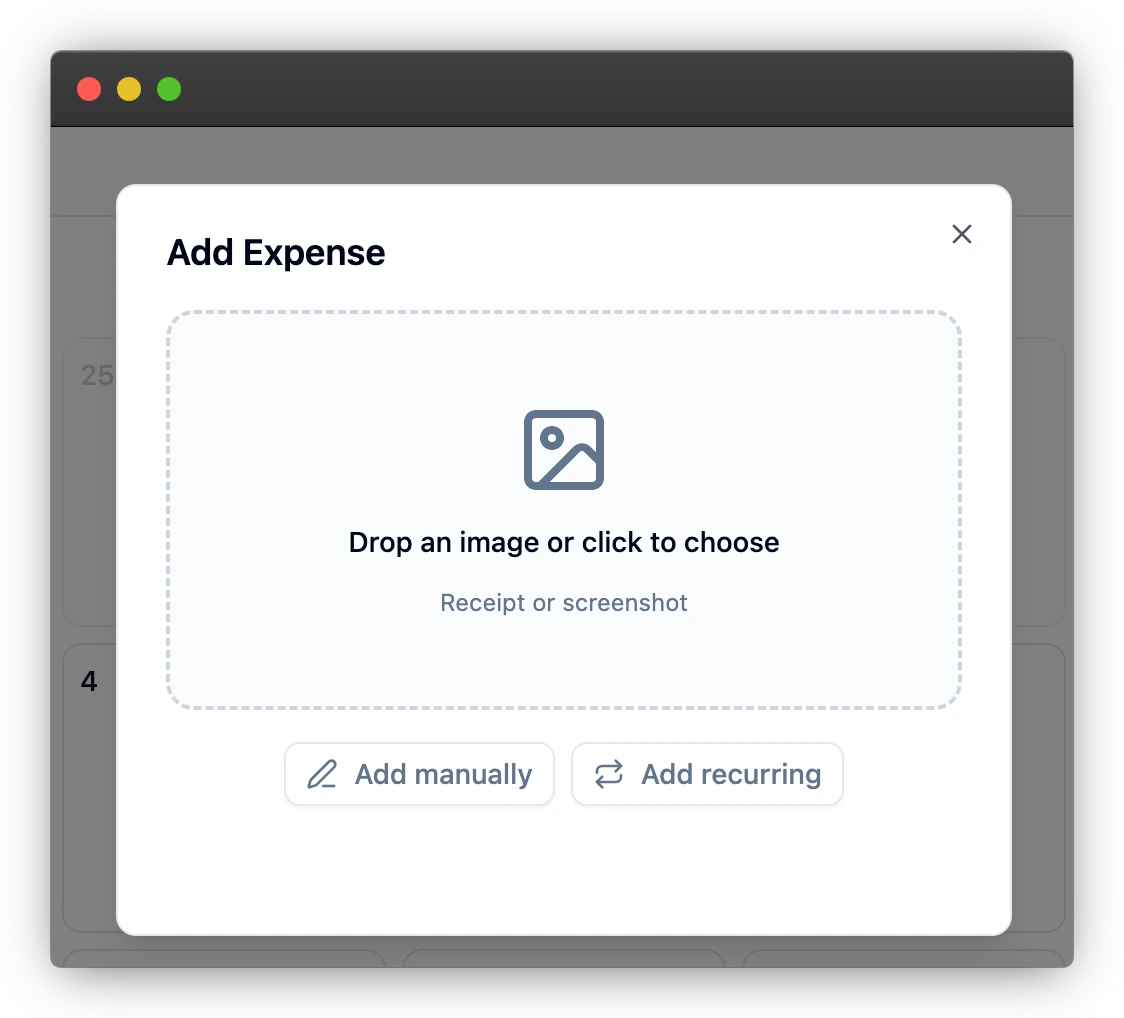
Step 1: Upload a clear image
Image quality has direct impact on extraction quality.
- Use good lighting and keep the entire ticket visible.
- Avoid blurred photos and heavy shadows.
- Place the receipt on a flat surface.
Step 2: Wait for processing
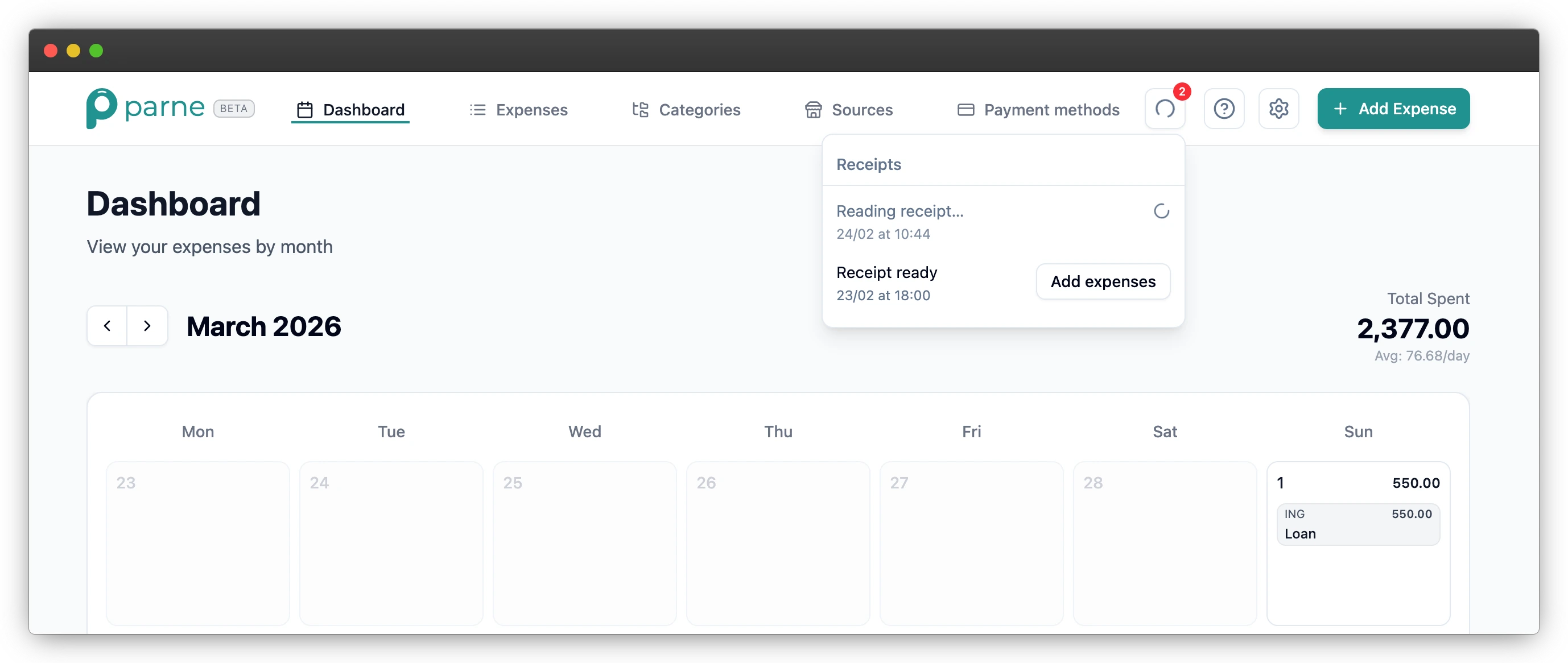
Parne reads the receipt and prepares a draft with extracted fields.
- Amount and date are prioritized.
- Store and line items are included when detected.
- Processing state is visible in the receipts panel.
Step 3: Review and confirm
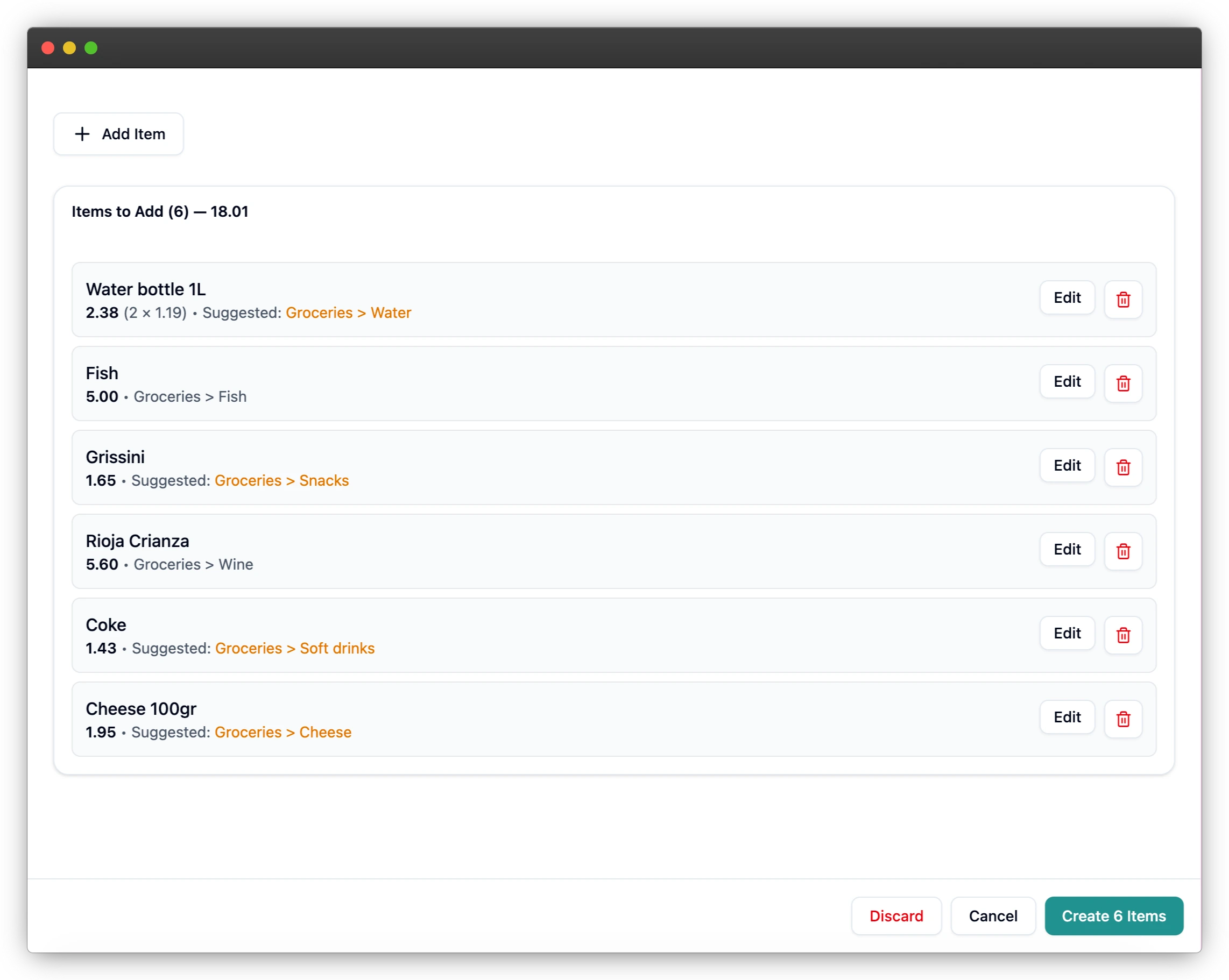
Before saving, validate and correct fields as needed.
- Assign category, source, and payment method.
- Fix amount/date discrepancies immediately.
- Save only after final verification.
When extraction is not perfect
Extraction is an assistant, not an automatic import guarantee.
- Correct totals first, then category assignment.
- Use notes for ambiguous merchant/item text.
- Discard failed attempts and retry with a clearer image.
Quality checklist before confirming
A 20-second checklist prevents most downstream errors.
- Does total amount match the ticket?
- Is the date correct?
- Are all lines assigned to proper categories?
- Are source and payment method selected?
Recommended retry strategy
If extraction quality is poor, do not force-correct every field. Re-upload with a better image first.
- Improve lighting and contrast.
- Capture full receipt including totals and date.
- Avoid folded or curved receipts when possible.